Settings
Payments and Charges
Settings : Payments and Charges
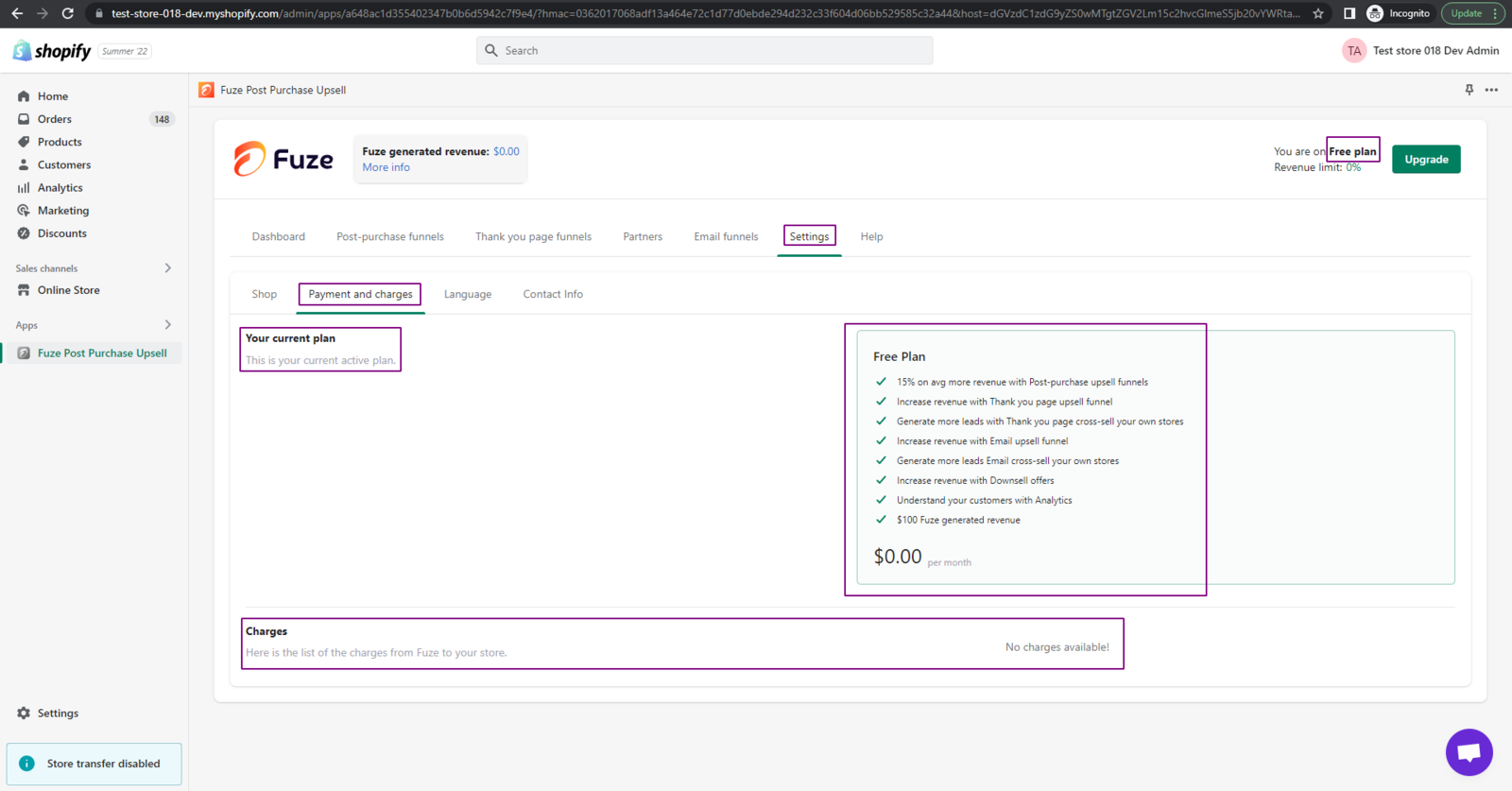
The Payment and Charges tab shows your current plan and related charges. It has two main sections: Your Current Plan and Charges.
Your Current Plan This section shows your current subscription details and plan features.
Charges The Charges section provides a transparent overview of all the costs linked with automatic upgrades related to your current plan.
Understanding Plan-Specific Charges The Charges view changes based on your plan:
- Free Plan: There are no charges, so the Charges section remains empty.
- Growth Plan & No Retainer Plan: The Charges section lists each order completed through Fuze, excluding monthly or one-time payment changes.
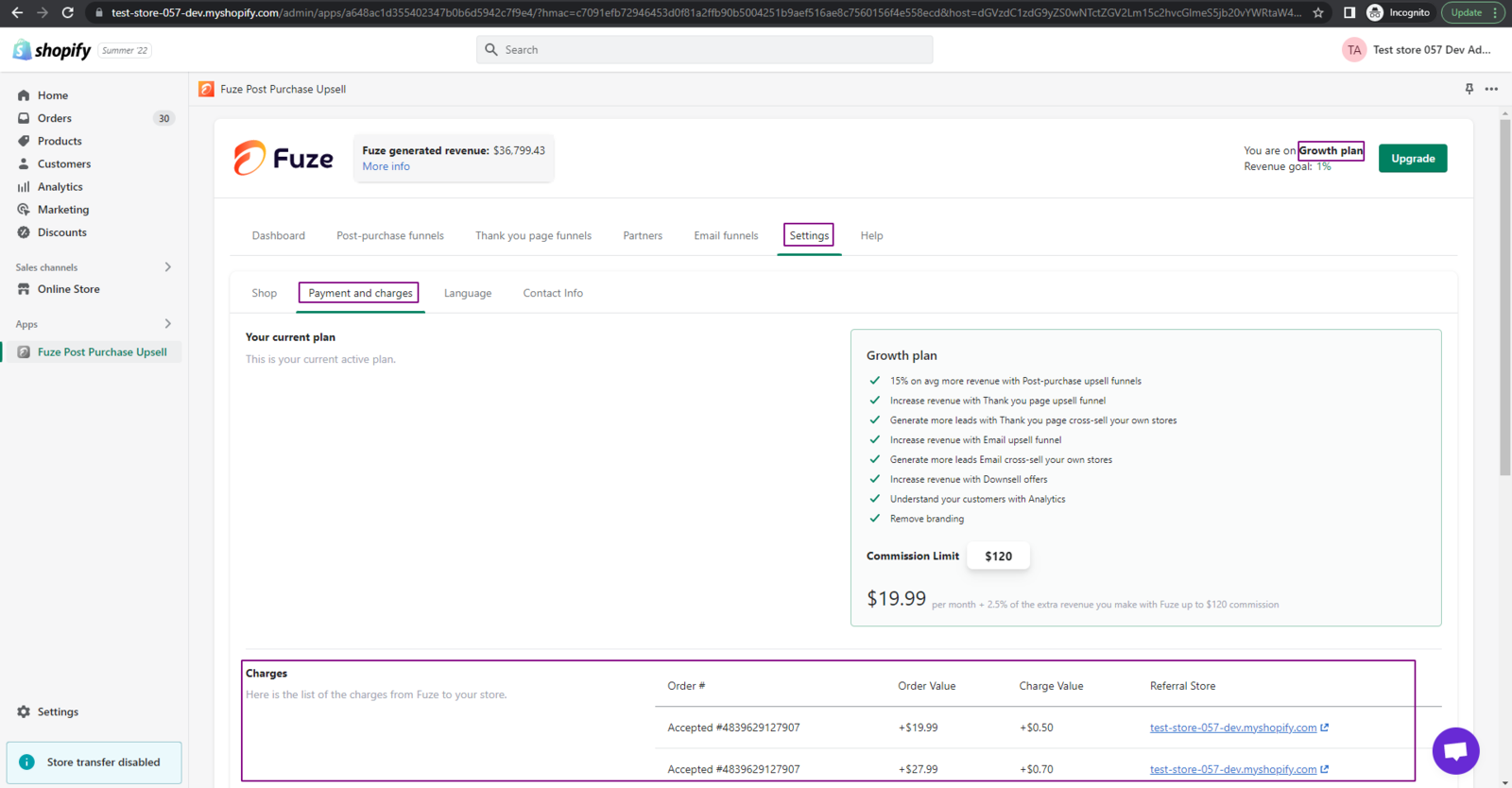
Key insights include:
- Order: This column provides the order ID. You can refer to this ID to trace the associated products purchased from your store via the Orders page.
- Order Value: This shows the total value of products purchased through Fuze.
- Charge Value: This column records the Fuze charge. For every completed order via the Fuze app, we retain 2.5% of the order value.
- Referral Store: This offers a direct link to the store from which the order was completed.
- Moon Plan: Upon opting for the Moon Plan, the details of order value and charge value will continue to be available. Moreover, every time an automatic upgrade occurs, new charges will be displayed.
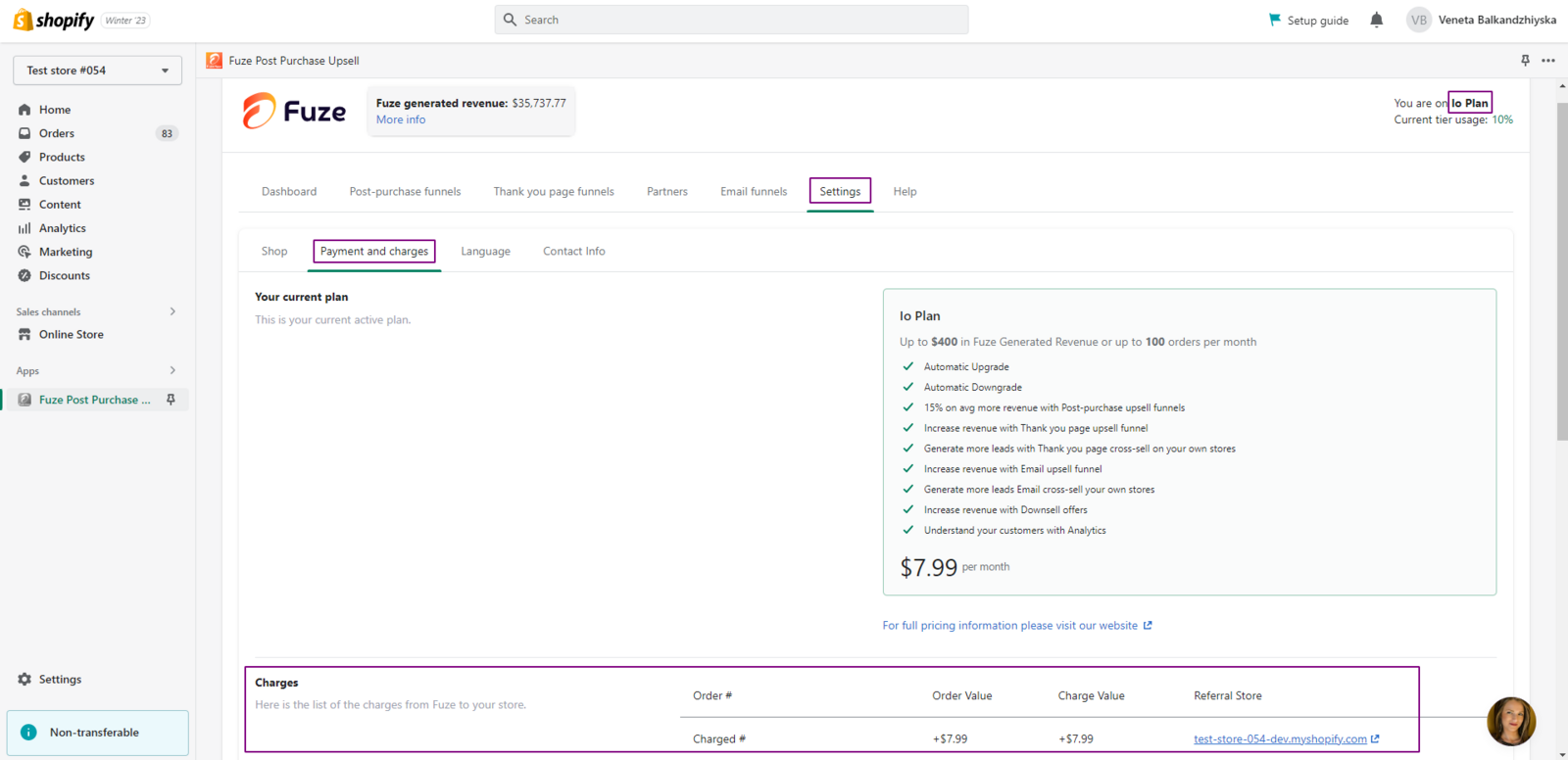
This breakdown helps you review plan and charge details in one place.