Onboarding
Introduction
Onboarding : Introduction
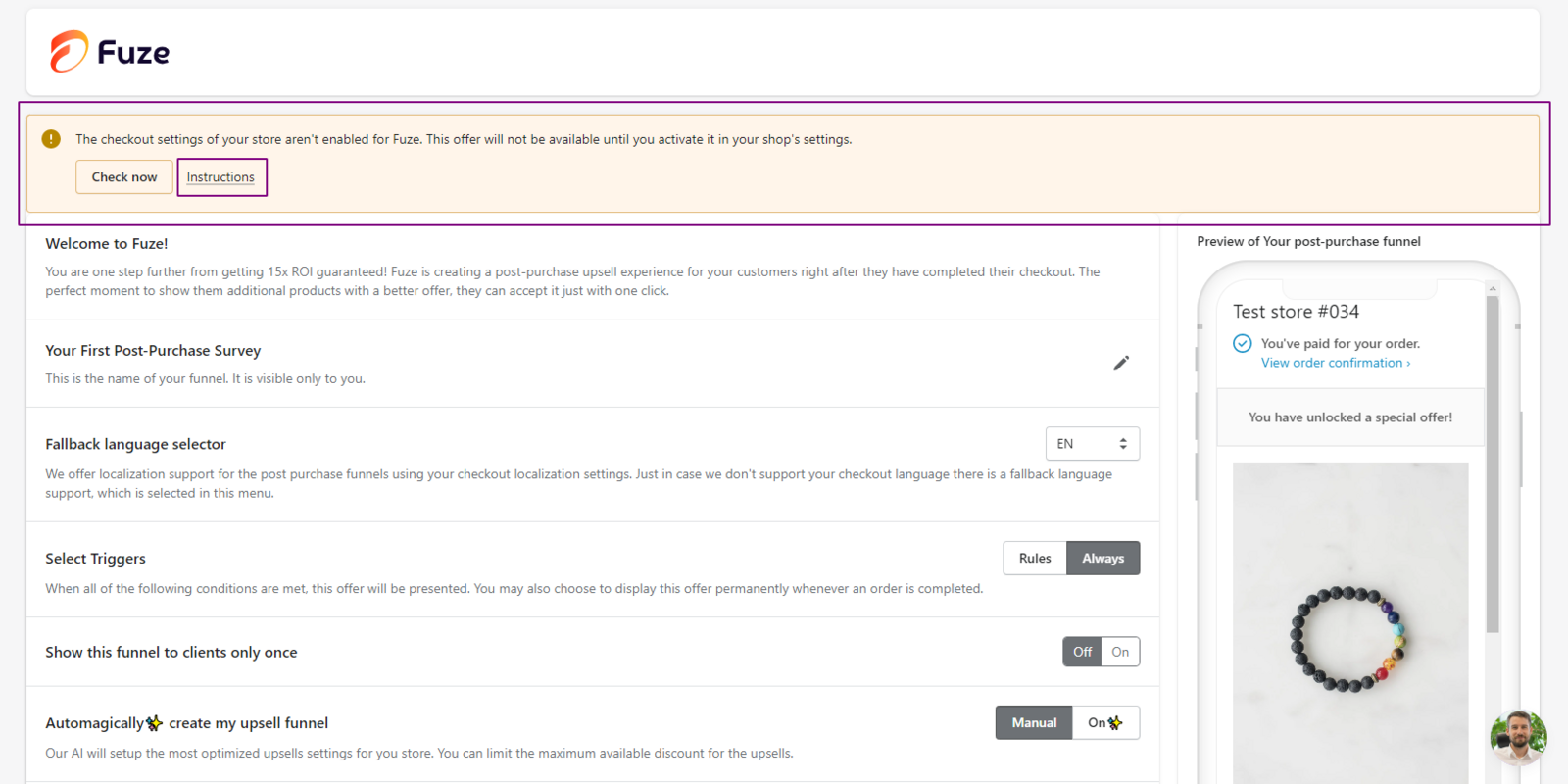
Step 1 of onboarding is setting up your first post-purchase upsell funnel. This funnel appears on the post-purchase page after a customer completes checkout.
This gives customers a clear follow-up offer while their purchase intent is still high.
You can also offer a discount on the upsell product.
To use post-purchase offers, first enable Fuze for the post-purchase page.
How to enable Fuze for the post-purchase page?
To enable Fuze for the post-purchase page, you need to select the app in the Shopify Settings. Here’s how:
- Click the Instructions button to access the modal with an overview of the necessary actions.
- Open the Checkout settings by following the link provided.
- Once the Checkout and accounts page loads in a separate browser tab, navigate to the post-purchase page section.
- Select the Fuze Post Purchase Upsell app, save the changes, and close the tab.
- Click the Check now/Verify Installation button.
- The Fuze app is now activated.
Important: If the app is not enabled in the Shopify Settings, its functionality will remain inactive.